Görevler ve Ödevler

Görevler ve Ödevler

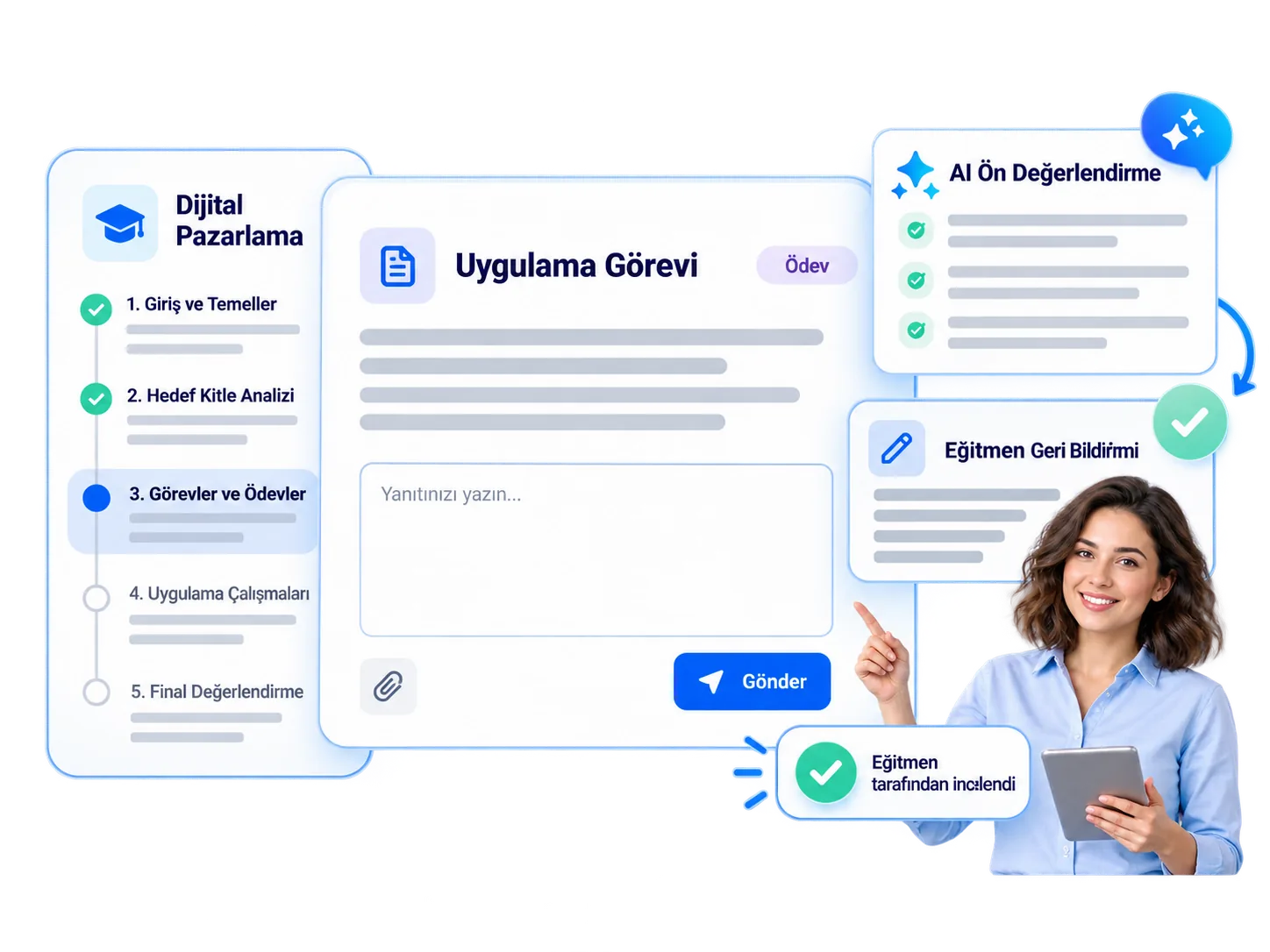
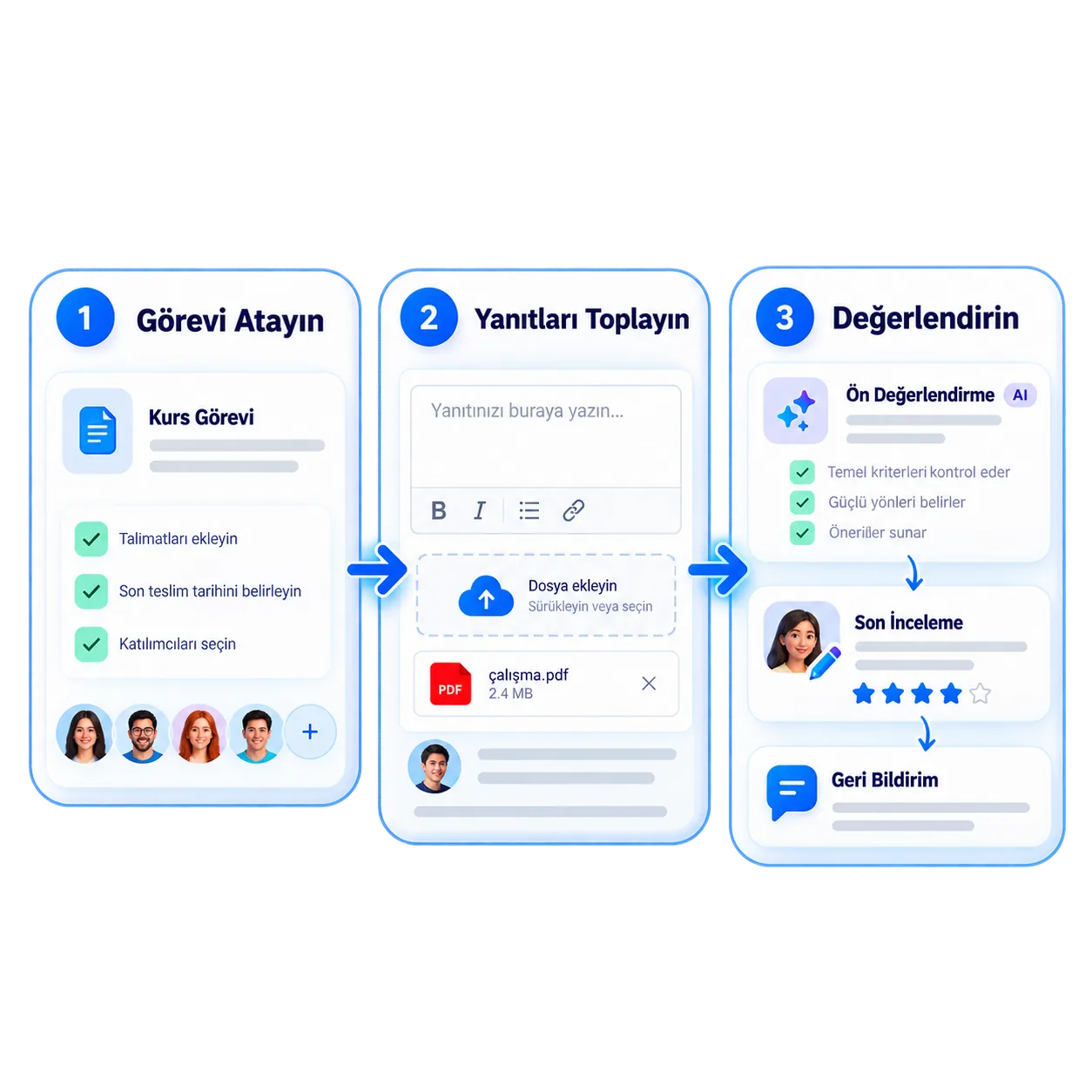
Vedubox Görevler ile eğitim içinde kullanıcılarınıza ödev atayın. Başlangıç ve bitiş tarihi, toplam puan, geçme notu ve ağırlık yüzdesi belirleyin; teslim edilen görevleri değerlendirip puanlayın.

Eğitim içinde görev atayın

Başlangıç ve bitiş tarihi

Puan ve geçme notu

Grup çalışması yaptırın

Görevler ve Ödevler Nedir?

Eğitimin Görevler sekmesinden kullanıcılarınıza zorunlu ve belirli bir tarih aralığında geçerli görevler atarsınız. Görevin başlığını, açıklamasını, başlangıç ve bitiş tarihini, toplam puanını ve geçme notunu belirleyebilirsiniz.

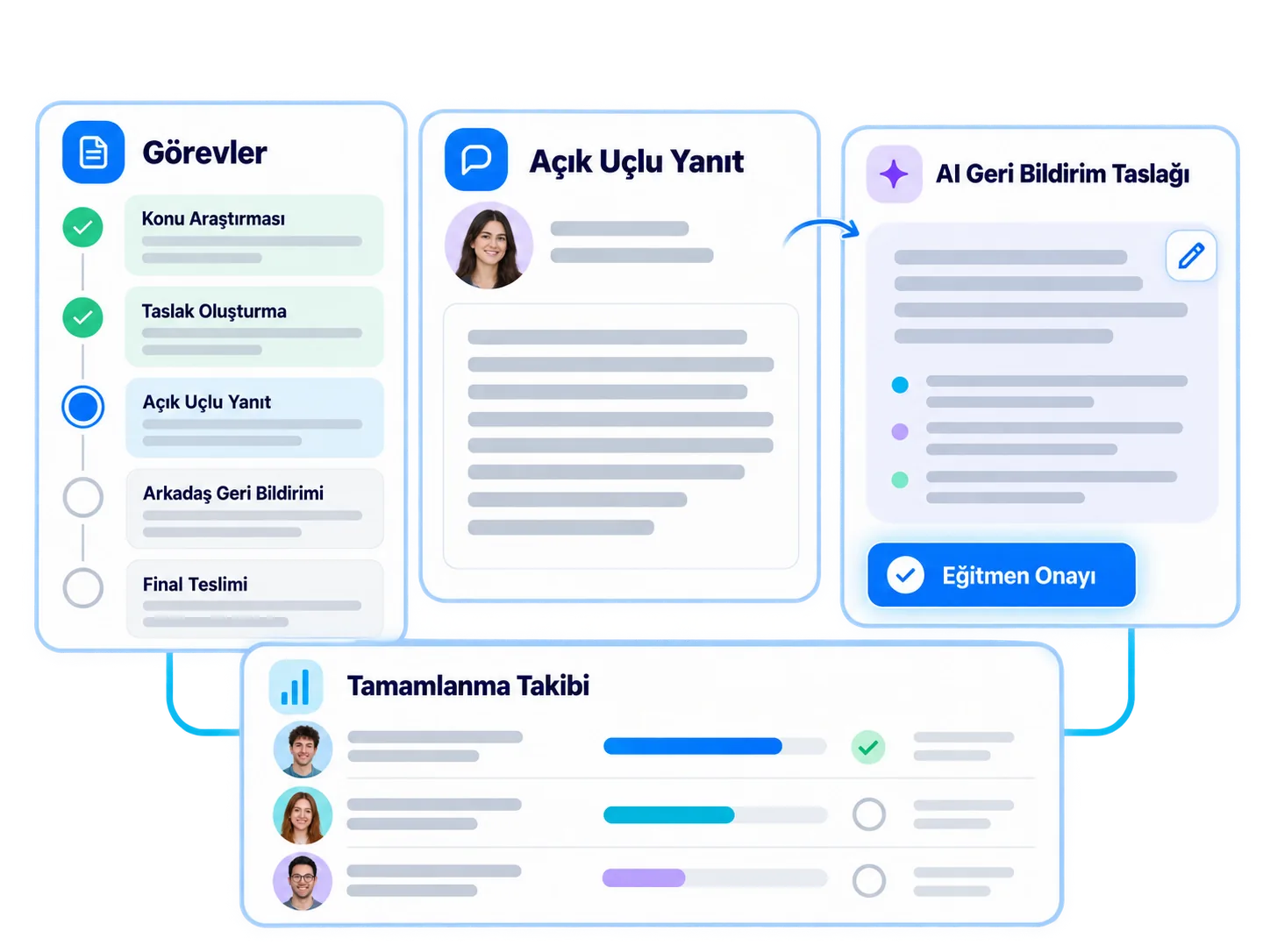
Ağırlık yüzdesiyle görevin eğitim başarı puanına etkisini ayarlar, dilerseniz grup çalışmasını açarsınız. Görev oluşturulduğunda kullanıcılara e-posta gönderilebilir; kullanıcı görevini sisteme gönderir, eğitmen değerlendirip puanlar.

Kurumunuz Ne Kazanır?

Ödevler e-posta eklerinde kaybolmaz; tüm teslimler eğitimin içinde, tarihi ve puanıyla birlikte tutulur.

Kullanıcıların görev ilerlemesini tek ekrandan takip eder, birim yöneticileri de kendi birimlerinin görev raporlarını görür.

Neler Yapabilirsiniz?

Görevlerin tüm seçenekleri, tek bakışta.

<style>.nk .nw-sar{flex-wrap:wrap;align-content:center;gap:6px}.nw-cip{display:inline-flex;align-items:center;gap:6px;padding:6px 11px;border-radius:999px;background:#f4f8fb;border:1px solid #e3ebf2;font-size:13px;font-weight:700;color:#5b6b80;white-space:nowrap}.nw-cip img{width:16px;height:16px}.nw-cip.nw-mavi{background:#eef8fe;border-color:#bfe3f4;color:#1581b3}.nk .nk-w{gap:12px}.nw-ikonkutu{flex:none;display:grid;place-items:center;width:42px;height:42px;border-radius:12px;background:#e3f3fb}.nw-ikonkutu img{width:22px;height:22px}.nw-durum{display:flex;flex-direction:column;gap:2px;font-size:14px;line-height:1.25;color:#1a1a2e}.nw-durum b{font-weight:700}.nw-durum em{display:inline-flex;align-items:center;gap:6px;font-style:normal;font-size:12.5px;font-weight:700;color:#1581b3}.nw-durum em i{width:7px;height:7px;border-radius:50%;background:#28aae1;box-shadow:0 0 0 3px rgba(40,170,225,.2)}.nk .nw-anahtar{position:relative;display:block;margin:0;font-weight:inherit;cursor:pointer}.nw-anahtar input{position:absolute;opacity:0;pointer-events:none}.nk .nw-anahtar{display:inline-flex;align-items:center;gap:12px}.nw-anahtar i{position:relative;width:46px;height:26px;border-radius:999px;background:#cbd5e1;transition:background-color .25s ease}.nw-anahtar i::after{content:"";position:absolute;top:3px;left:3px;width:20px;height:20px;border-radius:50%;background:#fff;box-shadow:0 2px 6px rgba(15,50,90,.25);transition:transform .25s ease}.nw-anahtar input:checked+i{background:#28aae1}.nw-anahtar input:checked+i::after{transform:translateX(20px)}.nw-anahtar span{font-size:14.5px;font-weight:700;color:#1a1a2e}.nw-ilerleme{display:flex;flex-direction:column;gap:9px;width:210px;font-size:13.5px;font-weight:600;color:#475569}.nw-ilerleme b{color:#1581b3}.nw-bar{height:8px;overflow:hidden;border-radius:8px;background:#e8eff5}.nw-bar i{display:block;height:100%;border-radius:8px;background:#28aae1}.nw-liste{display:flex;flex-direction:column;gap:6px;width:230px}.nw-liste div{display:flex;align-items:center;justify-content:space-between;gap:10px;padding:5px 10px;border-radius:9px;background:#f5f8fb;border:1px solid #e8eef4;font-size:13px;font-weight:600;color:#475569}.nw-liste b{font-weight:800;color:#1581b3}.nw-bildirim{display:flex;align-items:center;gap:10px;padding:9px 14px 9px 9px;border-radius:14px;background:#fff;border:1px solid #e3ebf2;box-shadow:0 12px 24px -16px rgba(15,50,90,.4);font-size:13px;line-height:1.3;color:#5b6b80;transition:transform .35s ease}.nw-bildirim b{display:block;font-size:13.5px;color:#1a1a2e}.nw-bildirim .nw-ikonkutu{width:36px;height:36px;border-radius:10px}.nw-bildirim .nw-ikonkutu img{width:20px;height:20px}.nk-hucre:hover .nw-bildirim{transform:translateY(-4px)}.nw-buton{display:inline-flex;align-items:center;gap:8px;padding:10px 16px;border-radius:999px;border:1.5px solid #28aae1;background:#fff;font-size:14px;font-weight:700;color:#1581b3;transition:background-color .2s ease}.nw-buton img{width:18px;height:18px;transition:transform .3s ease}.nk-hucre:hover .nw-buton{background:#eef8fe}.nk-hucre:hover .nw-buton img{transform:translate(2px,-2px)}.nw-buton.nw-dolu{background:#28aae1;color:#fff}.nk-hucre:hover .nw-buton.nw-dolu{background:#1b95cc}.nw-tarih{flex:none;display:flex;flex-direction:column;align-items:center;justify-content:center;width:48px;height:52px;border-radius:12px;background:#0b1f3b;color:#fff;line-height:1}.nw-tarih b{font-size:19px;font-weight:800}.nw-tarih span{margin-top:3px;font-size:10px;font-weight:800;letter-spacing:.08em;color:#7fcdef}.nw-konusmacilar{display:flex}.nw-konusmacilar span{display:grid;place-items:center;width:38px;height:38px;margin-left:-10px;border-radius:50%;border:2px solid #fff;background:#28aae1;color:#fff;font-size:12px;font-weight:800;transition:margin-left .3s ease}.nw-konusmacilar span:first-child{margin-left:0}.nw-konusmacilar span:nth-child(2){background:#0b1f3b}.nw-konusmacilar span:nth-child(3){background:#7fcdef;color:#0b1f3b}.nk-hucre:hover .nw-konusmacilar span:not(:first-child){margin-left:-4px}</style><div class="nk-hucre"><div class="nk-w"><div class="nw-tarih"><b>30</b><span>EYL</span></div><span class="nw-durum"><b>Satış sunumu hazırla</b><em>Bitiş · 18:00</em></span></div><h3>Tarihli görev</h3><p>Görevi başlangıç ve bitiş tarihiyle zorunlu olarak atayın.</p></div><div class="nk-hucre"><div class="nk-w"><div class="nw-liste"><div><span>Toplam puan</span><b>100</b></div><div><span>Geçme notu</span><b>70</b></div></div></div><h3>Puan ve geçme notu</h3><p>Görevin toplam puanını ve başarılı sayılacağı minimum puanı belirleyin.</p></div><div class="nk-hucre"><div class="nk-w"><div class="nw-ilerleme"><span>Eğitim puanına etkisi · <b>%30</b></span><div class="nw-bar"><i style="width:30%"></i></div></div></div><h3>Ağırlık yüzdesi</h3><p>Görevin eğitim başarı puanına ne kadar etki edeceğini ayarlayın.</p></div><div class="nk-hucre"><div class="nk-w"><label class="nw-anahtar"><input type="checkbox" checked><i></i><span>Grup çalışması</span></label><div class="nw-konusmacilar"><span>AK</span><span>MY</span><span>EB</span></div></div><h3>Grup çalışması</h3><p>Görevi bireysel ya da grup çalışması olarak açın.</p></div><div class="nk-hucre"><div class="nk-w nw-sar"><span class="nw-cip nw-mavi"><img src="https://cdn.prod.website-files.com/6a5e323b5d22707cf200b644/6aa8f9b7309ee83b54e61e99_oz-canli-serit-2.png" alt="">sunum.pdf</span><span class="nw-buton nw-dolu">Gönder</span></div><h3>Kullanıcı teslim eder</h3><p>Kullanıcı görevini gönderir; eğitmen puanlamadan önce yeniden gönderebilir.</p></div><div class="nk-hucre"><div class="nk-w"><div class="nw-bildirim"><span class="nw-ikonkutu"><img src="https://cdn.prod.website-files.com/6a5e323b5d22707cf200b644/6aa8fa50309ee83b54e66f01_oz-gorev-w-puan.png" alt=""></span><span><b>Görev değerlendirildi</b>Puanınız: 85 / 100</span></div></div><h3>Değerlendirip puanlayın</h3><p>Eğitmen görevi değerlendirir, kullanıcı aldığı puanı Görevler sekmesinde görür.</p></div>

Görevler ve Ödevler ile Ne Değişir?

Aynı ödev, düzenli bir süreç.

E-postayla ödev takibi
Vedubox Görevler
Ödevler e-posta ekleriyle toplanır.
Teslimler eğitimin içinde tutulur.
Yeni ödev ayrıca duyurulmak zorunda kalır.
Görev oluşturulunca kullanıcıya e-posta gider.
Ödev notları ayrı tabloda hesaplanır.
Ağırlık yüzdesiyle eğitim puanına yansır.
Kimin teslim ettiği tek tek kontrol edilir.
Görev ilerlemesi kullanıcı bazında görünür.
Eğitim videosu
03:24 / 08:17
Görev teslim edildi!

Ödevleri eğitimin içinde yönetin.

Atama, teslim ve değerlendirme tek akışta.

Vedubox

LMS

Canlı Eğitim

Sınav

Sertifika

Akademi